UNITY RUNTIME TOOL / LAN

Inspect the build.
Not a simulation.

A runtime inspector, live data analyser and advanced console for Unity builds running on real devices.

ONE CONNECTED WORKFLOWInspect. Measure. Understand.
Runtime InspectionExplore the live build
Data AnalyserTrack any Inspector variable
Advanced ConsoleIsolate useful logs

WHAT YOU CAN SEE

One tool.
Three focused views.

Inspect live scene state, track any Inspector variable over time and investigate logs without leaving the same runtime workflow.

RUNTIME INSPECTION

See what the build is actually doing.

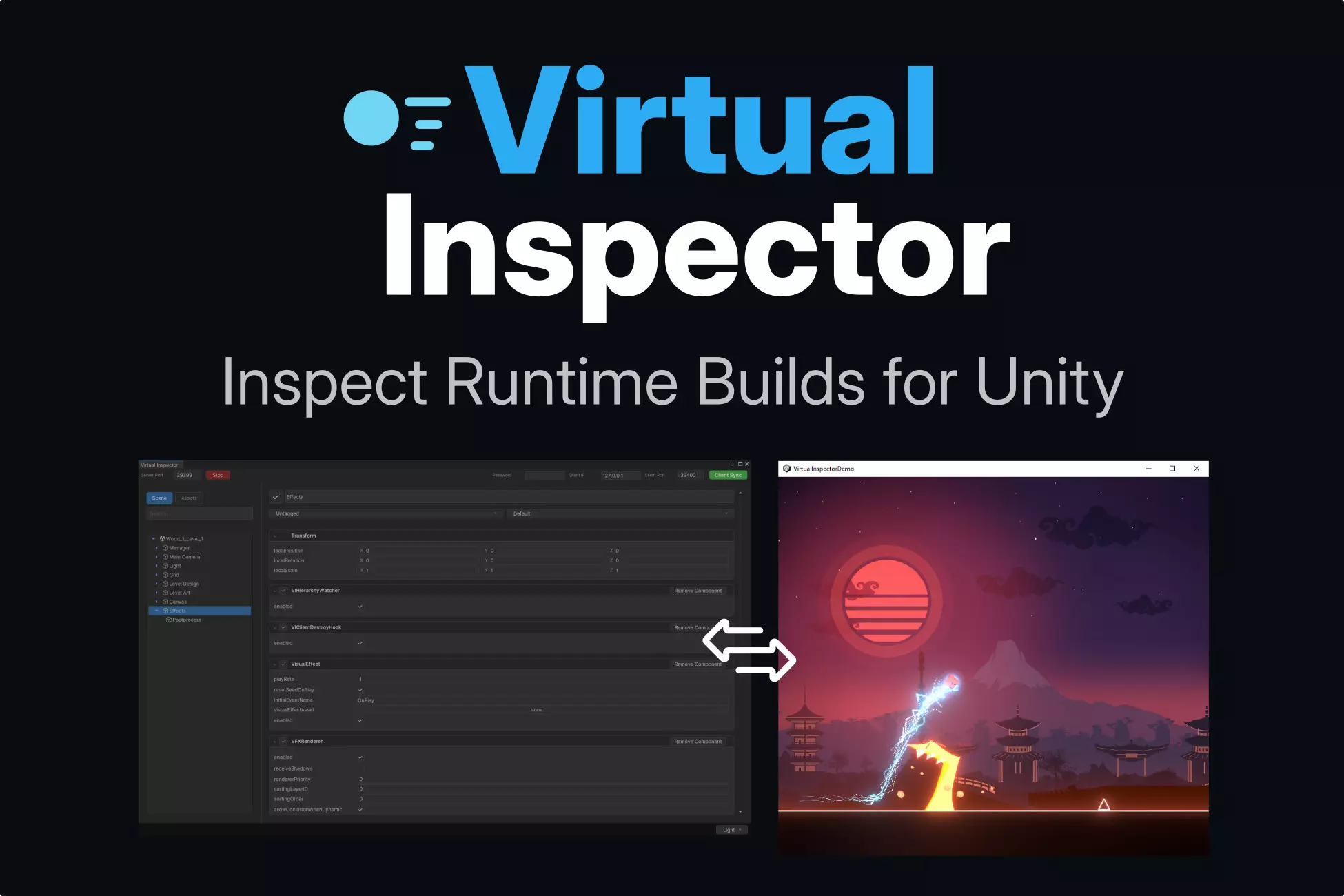
Browse loaded scenes, inspect live GameObjects and read components while the player is running. Pro workflows can edit values and act on the hierarchy without rebuilding.

  • Live scene hierarchy
  • Components and runtime variables
  • Real-device inspection over LAN
Virtual Inspector runtime inspection interface

DATA ANALYSER

Track any variable as it changes.

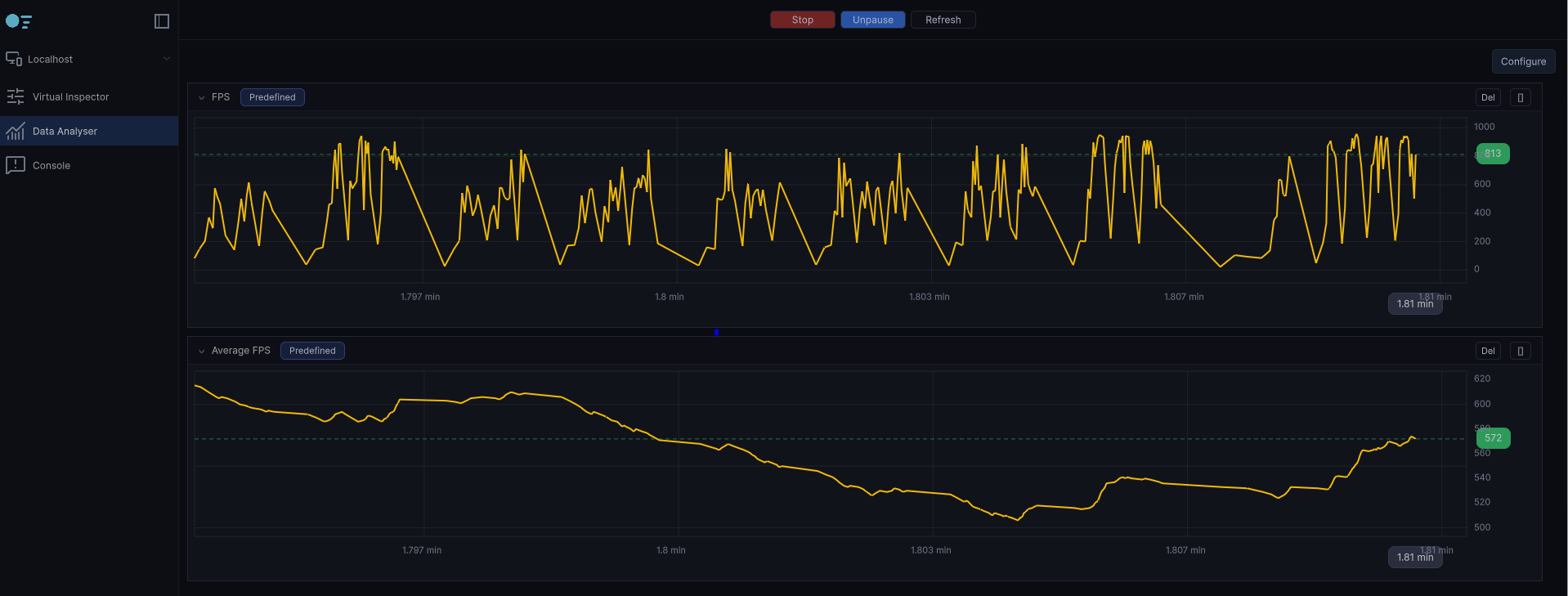
Select any variable available in the Inspector and follow its value over time. Compare behaviours, spot unexpected changes and understand what the live build is doing.

  • Any Inspector variable
  • Live value history
  • Custom tracking views
Virtual Inspector Data Analyser showing live charts

ADVANCED CONSOLE

Find the useful log in the noise.

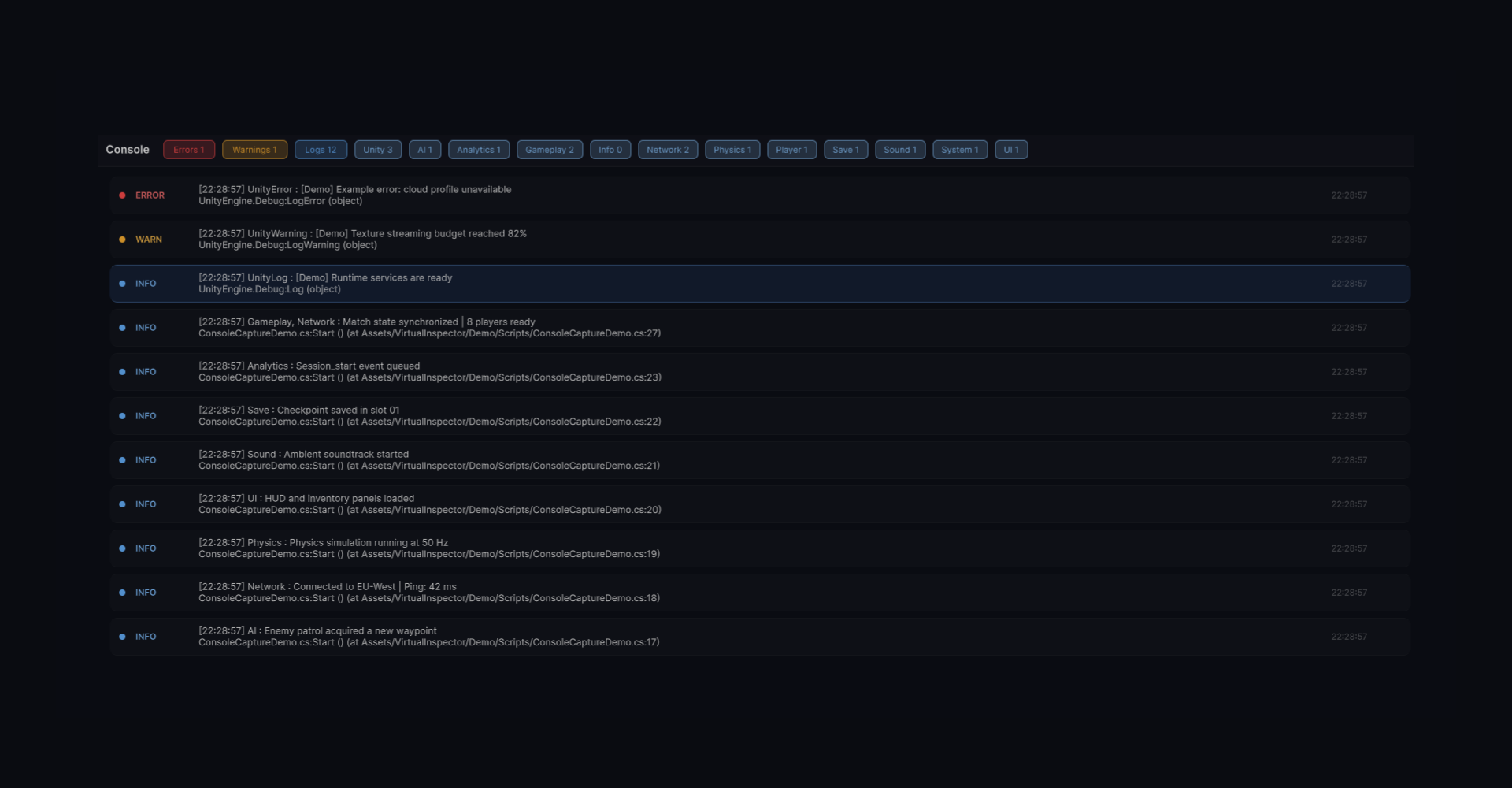
Capture runtime output in a console made for production debugging. Filter messages by category, isolate errors and follow what happened on the device.

  • Category and severity filters
  • Structured runtime logs
  • Clear call-site context
Virtual Inspector advanced modern console

CHOOSE YOUR WORKFLOW

Free & Pro versions

Start free. Upgrade when you need production controls.

FREE

For indies &
prototyping

  • Live runtime hierarchy
  • Object & component inspection (read-only)
  • Runtime variable monitoring
  • Any runtime build* (read-only)
  • LAN connection only

* Some platforms may require additional testing or validation.

Contact us

PRO FULL TOOLSET

For studios &
production

  • Runtime variable editing
  • Hierarchy actions: create, delete and duplicate
  • Add & remove components
  • Advanced component support
  • Any runtime build* · LAN only

* Some platforms may require additional testing or validation.

Get Pro version

PRICING, LICENSING & USAGE

FAQ

Quick answers before you connect your first build.

How many seats / licenses do I need?

Use one Pro license per developer actively using Virtual Inspector. Contact us if you need a studio-wide setup or several seats.

What is the difference between buying here or on the Unity Asset Store?

The core product is the same. The difference is where the purchase, invoice and package delivery are managed.

Will I get future versions?

Updates covered by your purchased license are included. Terms for a future major version will be announced separately if they change.

What is the difference between the Free and Pro versions?

Free focuses on read-only inspection and monitoring. Pro adds runtime editing, hierarchy actions and advanced component workflows.

Does Virtual Inspector collect, store, or transmit project data?

The runtime connection is designed to operate locally over LAN and does not require a cloud service to inspect your build.

Can Virtual Inspector be used in commercial projects?

Yes. Commercial use is supported under the terms of the license attached to your version.